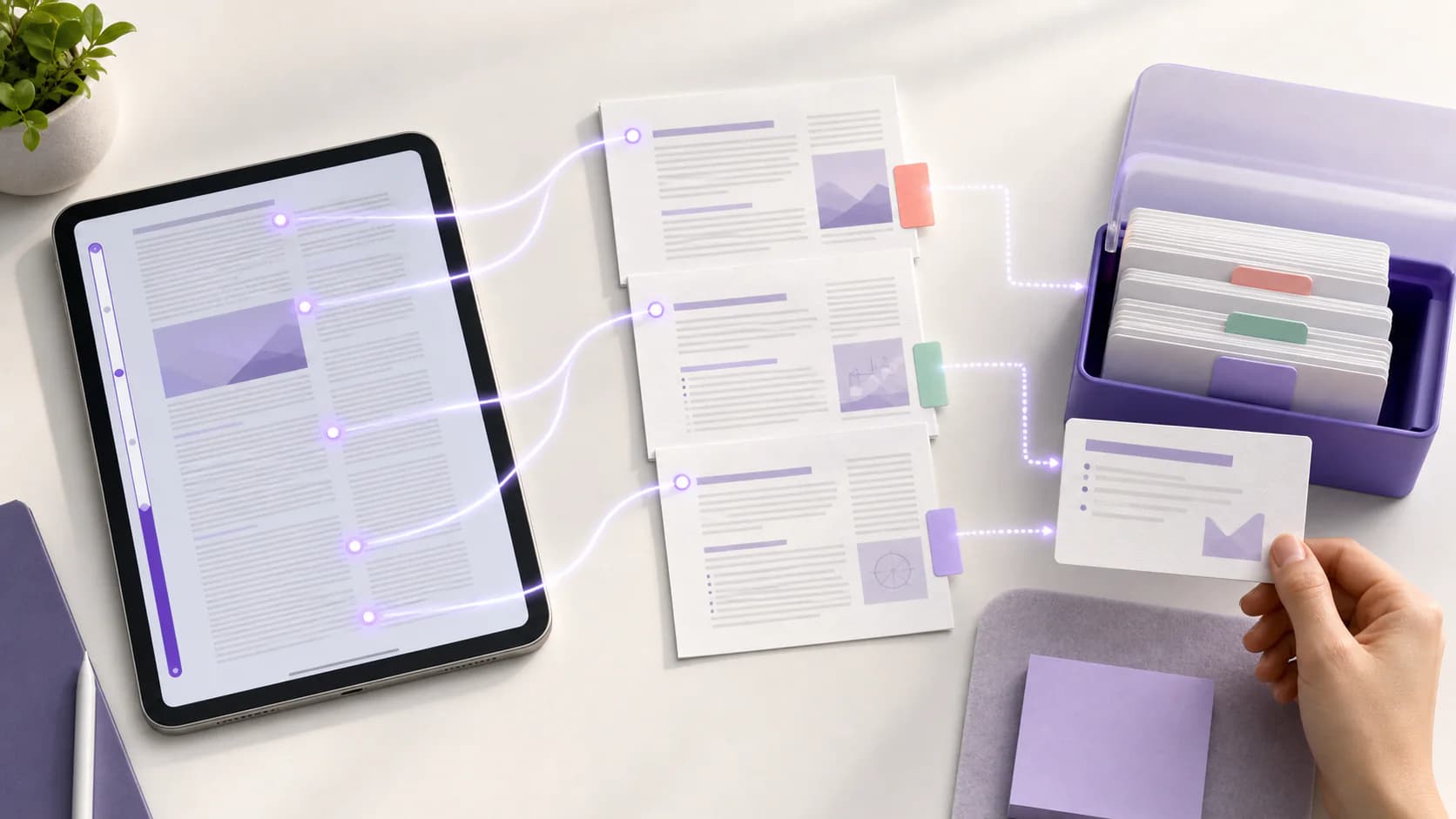
To turn a long PDF into flashcards, do not generate one enormous deck from the whole file. Check that the PDF text is readable, divide the document into meaningful sections, make cards from one section at a time, and verify every question and answer against the source. Keep cards that test a useful fact, relationship, step, or distinction. Delete cards that are vague, trivial, duplicated, or impossible to answer without missing context.
The goal is not to represent every page. It is to build a deck you can answer, check, and return to over several study sessions.
Quick answer: Define what you need to learn, split the PDF by chapter or topic, preserve the source beside your notes, generate a small batch of cards, edit each card to test one clear idea, and study by answering before revealing the back.
Why long PDFs often produce weak flashcard decks
A long PDF can contain several kinds of material at once: explanations, repeated examples, diagrams, references, footnotes, practice questions, and administrative pages. Treating all of it as equally important creates predictable problems.
- Too many cards: The deck becomes larger than the time available to review it.
- Shallow coverage: A generator selects easy definitions while missing relationships and reasoning.
- Missing context: A card asks
What is the next stage?without naming the process. - False precision: A misread symbol, date, or label becomes a confident-looking answer.
- Duplicates: The same idea appears in a summary, a slide, and a later review section.
This is why the best PDF-to-flashcard workflow includes selection before generation and verification afterward. Automatic drafting can remove repetitive typing. It cannot decide what your course emphasizes or whether an extracted formula is correct.
Check the PDF before making cards
Spend two minutes checking the source before uploading it anywhere.
Can you select and search the text?
Try to highlight a sentence and search for a distinctive term. If neither works, the PDF may contain page images instead of a usable text layer.
Scanned PDFs often need optical character recognition, or OCR, before their text can be processed reliably. Adobe's guide to recognizing text in scanned PDFs explains that OCR adds a selectable, searchable text layer and recommends checking the result for errors.
After OCR, inspect technical terms, equations, tables, superscripts, dates, and names. A document can look correct while its extracted text contains mistakes.
Does the file have a useful structure?
Look at the table of contents and headings. Identify where topics begin and end. A 90-page course reader with six chapters is six manageable sources, not one indivisible file.
Remove nothing from the original. Instead, choose the page range or section that matches the next study goal. Keeping the complete PDF available makes later verification easier.
Are you allowed to use the material?
Use course documents, readings, and textbook files you are permitted to upload and process. Follow the rules of your institution and the terms that apply to the source. Generated flashcards are a study aid, not a way to redistribute the original material.
How to turn a long PDF into flashcards step by step
1. Write the learning target first
Replace Learn this PDF with a specific outcome:
- define the parts of a cell membrane and explain their roles
- compare three theories from one seminar reading
- remember the sequence and purpose of each stage in a process
- recognize when to apply each formula in a problem set
The target tells you which pages matter and what kind of cards to create. It also gives you a reason to reject interesting details that are not useful for the current assessment.
2. Split the PDF by meaning, not an arbitrary card count
Use chapters, lecture units, learning objectives, or major headings as boundaries. A good section should cover one connected topic that you could review in a short session.
Do not ask for a fixed number of cards from every section. Ten pages of definitions may support more cards than ten pages of narrative explanation. Let the material determine the deck, then reduce it to what is worth retrieving.
For a very long textbook, work in this order:
- Choose the chapter that matches the current class.
- Select one or two related subsections.
- Generate and verify that batch.
- Study it once before adding the next batch.
This prevents an unfinished textbook-sized deck from becoming another source of overload.
3. Build a checked note before the deck
A structured note gives you a bridge between a dense PDF and short flashcards. It can preserve headings, explanations, examples, and your own comments while the deck focuses on retrieval.
In BrainDen, you can import a PDF, keep it attached to the note, highlight relevant passages, and generate flashcards and quizzes from the study material. Verify the note against the PDF before using it to create practice. If a summary omits a condition or misstates a term, correct that problem before it spreads into several cards.
Add brief comments such as:
Lecturer emphasized this exception.Compare with the model in Chapter 3.Formula is correct only under this assumption.Diagram label needs checking.
These comments help you keep course-specific context that a general summary cannot know.
4. Select material that belongs on flashcards
Flashcards are strongest when the answer can be retrieved and checked clearly. Good candidates include:
- terms and precise definitions
- cause-and-effect relationships
- ordered stages in a process
- contrasts between similar concepts
- formulas plus the conditions for using them
- dates or names that the course requires
- a diagram label, if the visual remains available
Some material needs another format. Use a worked problem for a multi-step calculation, a mind map for a complex hierarchy, and a quiz or explanation prompt for applying several ideas together.
5. Generate a small first batch
Start with the most important subsection. A smaller batch is easier to audit, and its mistakes teach you how to improve the next request.
Useful instructions for a generator include:
- use only the supplied source
- test one clear idea per card
- name the topic in each question
- keep answers concise but complete
- include relationships and applications, not only definitions
- avoid cards based on page headers, references, or repeated summaries
Treat the output as a draft. A polished card can still contain an extraction error or ask an unhelpful question.
6. Run a five-part quality check
Review each card with this checklist:
- Source: Can you point to the passage, figure, or note that supports the answer?
- Clarity: Would the question make sense after it is shuffled away from nearby cards?
- Focus: Does it test one decision or one connected idea?
- Value: Is this something you need to retrieve, apply, or distinguish?
- Accuracy: Are the wording, symbols, qualifiers, and examples correct?
Delete a card if it fails on value. Edit it if the source is useful but the prompt is weak. Return to the PDF if accuracy is uncertain.
7. Retrieve, check, and improve the deck
Answer each question before revealing the back. Then compare your response with the verified answer and correct the exact gap.
Retrieval practice is more than seeing a familiar card. In a study using science texts, Karpicke and Blunt found that retrieval practice supported more learning than elaborative concept mapping; the study is indexed by PubMed. Flashcards create this retrieval opportunity only when you make a real attempt before looking.
Our guide to active recall with flashcards and quizzes explains how to combine cards with delayed review, mixed quizzes, and explanation practice.
During the first review, mark cards that cause the same problem repeatedly. The fix may be to:
- add missing context to the question
- split an overloaded answer
- replace copied wording with a clearer explanation
- attach the relevant diagram
- return to the source because the concept is not understood yet
Examples of improving PDF-generated cards
Biology example
Weak card:
What does it do?
The question depends on the previous card and becomes useless when shuffled.
Better card:
What role does the phospholipid bilayer play in a cell membrane?
The revised question names the subject and tests a relationship, not recognition of a nearby heading.
History example
Weak card:
List all causes of the event.
This hides several judgments inside one large answer. Missing one cause makes the whole card feel wrong.
Better cards:
Which economic condition contributed to [event], according to the reading?How did [political decision] change the course of [event]?Which cause does the author treat as most important, and why?
These prompts keep the source's interpretation visible and make each gap easier to diagnose.
Formula example
Weak card:
What is the formula?
Better pair:
Which formula calculates [quantity] under [condition]?What assumption must hold before using [formula name]?
The first card tests recall of the expression. The second tests whether you know when it applies.
What to do with diagrams, tables, and scanned pages
Do not reduce every visual to plain text. A chart may show a trend that disappears when converted into isolated facts. A labeled diagram may be better studied by hiding labels. A comparison table may support several contrast questions, but each answer should still preserve the relevant row and column context.
For scanned material:
- Run OCR if the text is not selectable.
- Compare the extracted text with the visible page.
- Check symbols and specialist vocabulary manually.
- Keep the page or image attached when the visual is part of the answer.
- Exclude unreadable sections rather than guessing.
When a card relies on a figure, write the question so it identifies the figure or concept. Never assume the image will remain beside the card unless your study tool supports that connection.
A final PDF-to-flashcards checklist
Before studying the deck, confirm that:
- the PDF section matches a current learning goal
- scanned pages have readable, checked text
- every card is supported by the source
- questions still make sense when shuffled
- answers include important qualifiers
- duplicates and low-value details are removed
- complex procedures have a suitable practice format
- the first review is scheduled before you add another large batch
Frequently asked questions
Should I upload an entire textbook PDF at once?
Usually, no. Work chapter by chapter or topic by topic. Smaller sections make it easier to control relevance, find the supporting passage, and finish reviewing the deck.
Can AI make accurate flashcards from a scanned PDF?
It can draft cards if the scan is readable and text extraction succeeds, but you still need to check the OCR and the final cards. Pay special attention to equations, tables, names, and technical terms.
How many flashcards should come from one PDF?
There is no reliable fixed ratio of pages to cards. Keep cards that represent required, useful retrieval targets. A short dense section may need more cards than a long explanatory one.
Should the flashcards replace my PDF notes?
No. Keep the PDF and a structured note as the context you can return to. Use flashcards for focused retrieval, not as a compressed copy of every paragraph.
Turn the source into a study loop
A useful deck is smaller than the PDF, traceable to the PDF, and designed for honest retrieval. Start with one meaningful section, verify the text, keep only strong questions, and use your mistakes to improve the next batch.
Turn a PDF into connected notes, flashcards, quizzes, and active-recall practice with BrainDen, then choose web, iPhone, iPad, or Android.
Turn your next source into a study system.
Create structured notes, flashcards, quizzes, mind maps, and active-recall practice from your own material.