Your material. Your study system.

Turn your learning materials into a study system that sticks.

BrainDen transforms lectures, PDFs, videos, audio, photos, and text into structured notes, flashcards, quizzes, mind maps, and active-recall practice.
Get BrainDen

Choose where you want to use BrainDen:

See how it works
Free to startNo card required32 supported languages
A structured BrainDen note with study tools and highlighted source material

One learning loop

Create. Understand. Recall.

Educational App Store Certified 2026

Independent educational review

Educational App Store Certified 20265.0/5

Evaluated for educational quality, safety, usability, and relevance.

Read the review

Start with the material you already use

Lectures
PDFs
Videos
Photos
Text

From source to recall

Stop rebuilding your study system every time you open a new file.

BrainDen keeps the source, the note, and every way you practice together in one workflow.

01

Add what you are learning

Record a lecture or import a PDF, video, audio file, photo, or block of text.

02

Get a note you can work with

BrainDen turns the material into a structured note while keeping the source attached.

03

Practice until it sticks

Explain it back, review flashcards, take a quiz, or see the ideas as a mind map.

One connected note

Everything stays connected to what you learned.

Read the structured note, return to the source, then choose how you want to study next without switching tools.
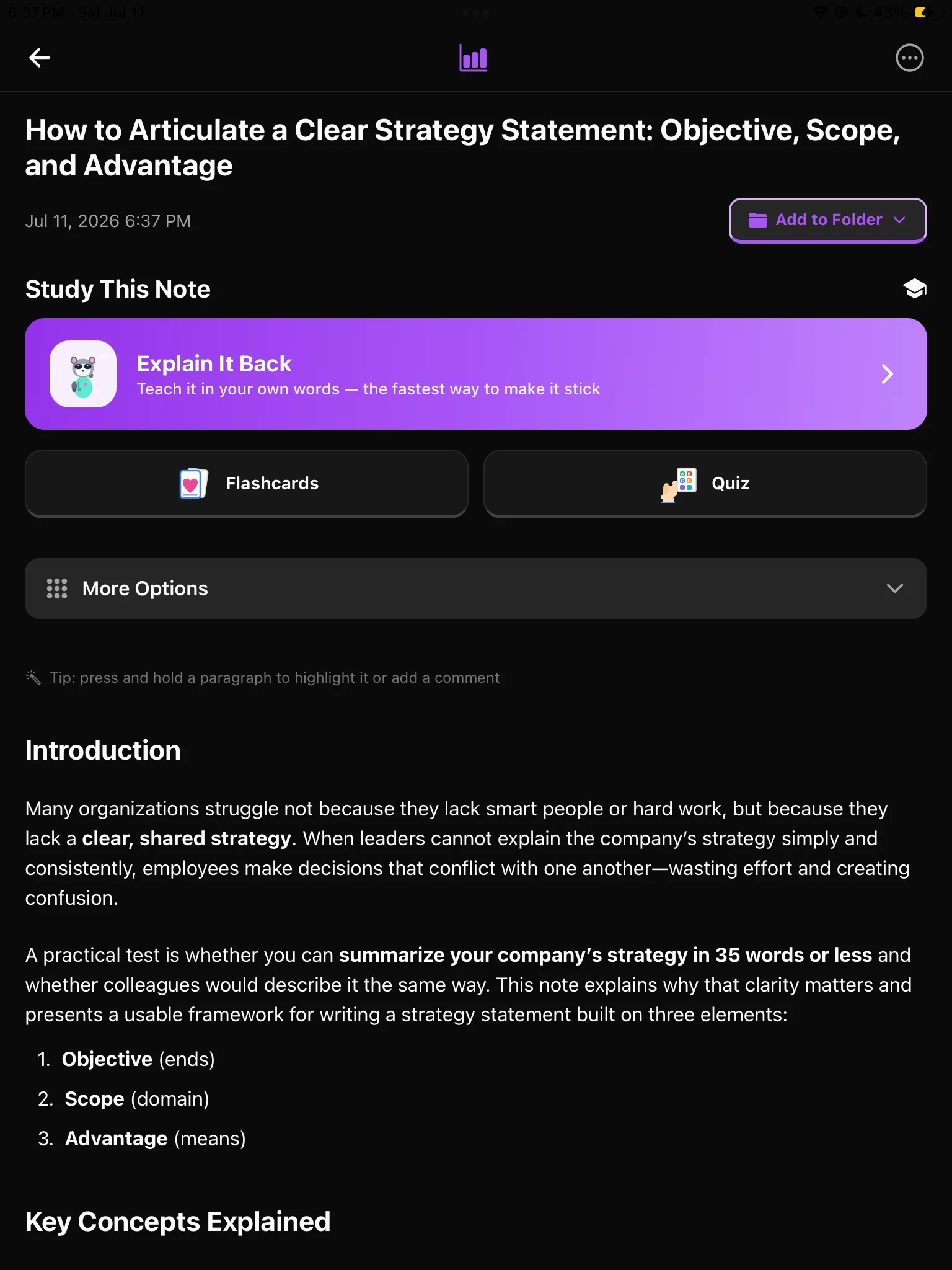
  • Source materials stay attached
  • Highlights and comments stay in context
  • Flashcards, quizzes, and mind maps are one tap away
BrainDen note on iPad with source material and study options

A library that gets better with use

Your notes should become a system, not another pile of files.

Organize every course with nested folders, connect related ideas, review several notes together, and share only what another person needs.

Organize without flattening your course.

Create folders inside folders for semesters, courses, modules, lectures, projects, and revision topics.

Semester 2
Biology
Module 4: Genetics
Explore nested folders

Connect what belongs together.

Link related notes, follow backlinks from either side, and select several notes when you need to review a complete topic.

Lecture

Cellular respiration

Backlink

Photosynthesis

Share only what you choose.

Send one note or a complete folder. Choose whether the public view includes the original source and transcript, then turn the link off when you are finished.

See sharing controls

Share “Biology revision”

Public read-only link

Include original source
Include transcript

The public link can be disabled at any time.

Study actively

A note is only useful if it changes what you can remember.

Move from reading to retrieval with several ways to test, explain, and connect what you know.

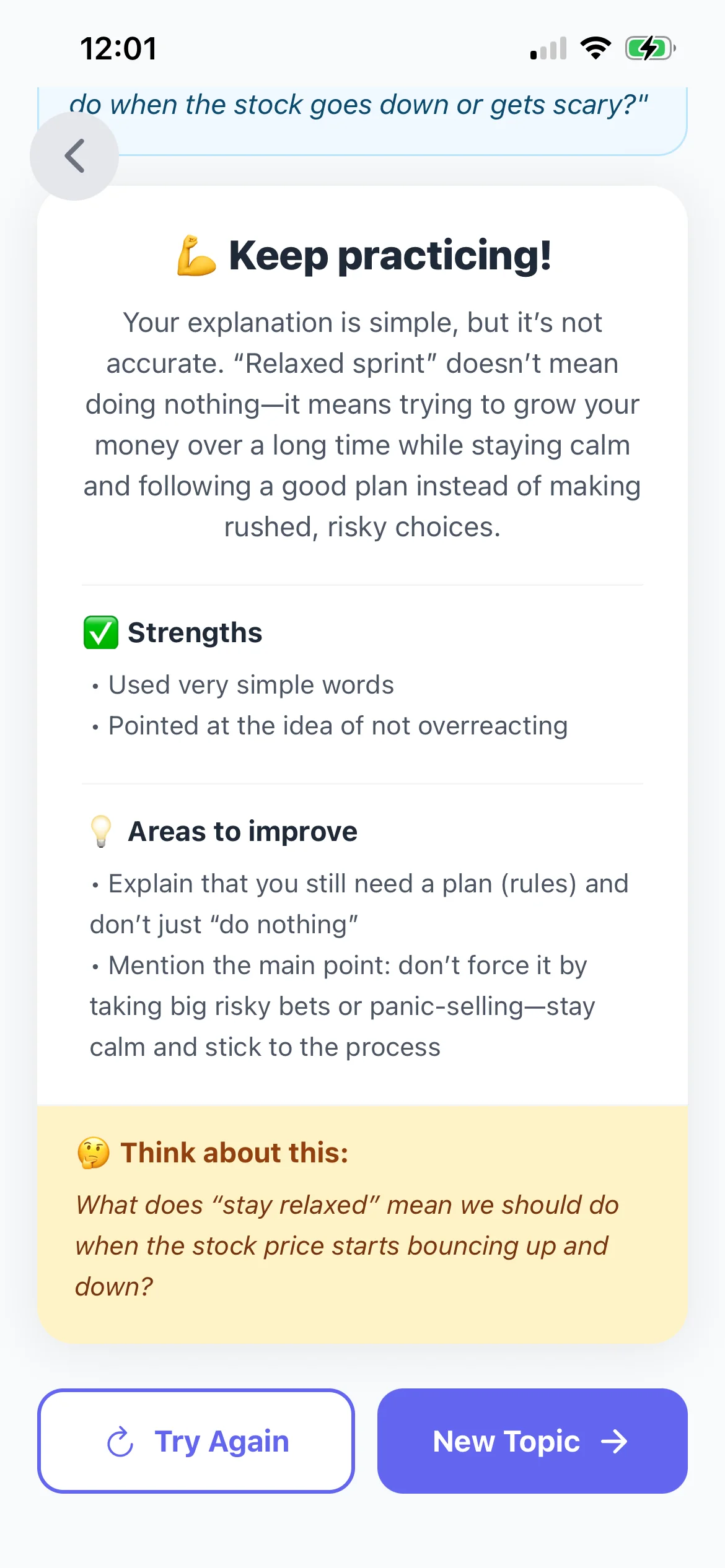
Explain It Back

Find the gap between recognizing an idea and understanding it.

Teach the concept in your own words. Your study partner responds, asks follow-up questions, and shows you what to revisit.
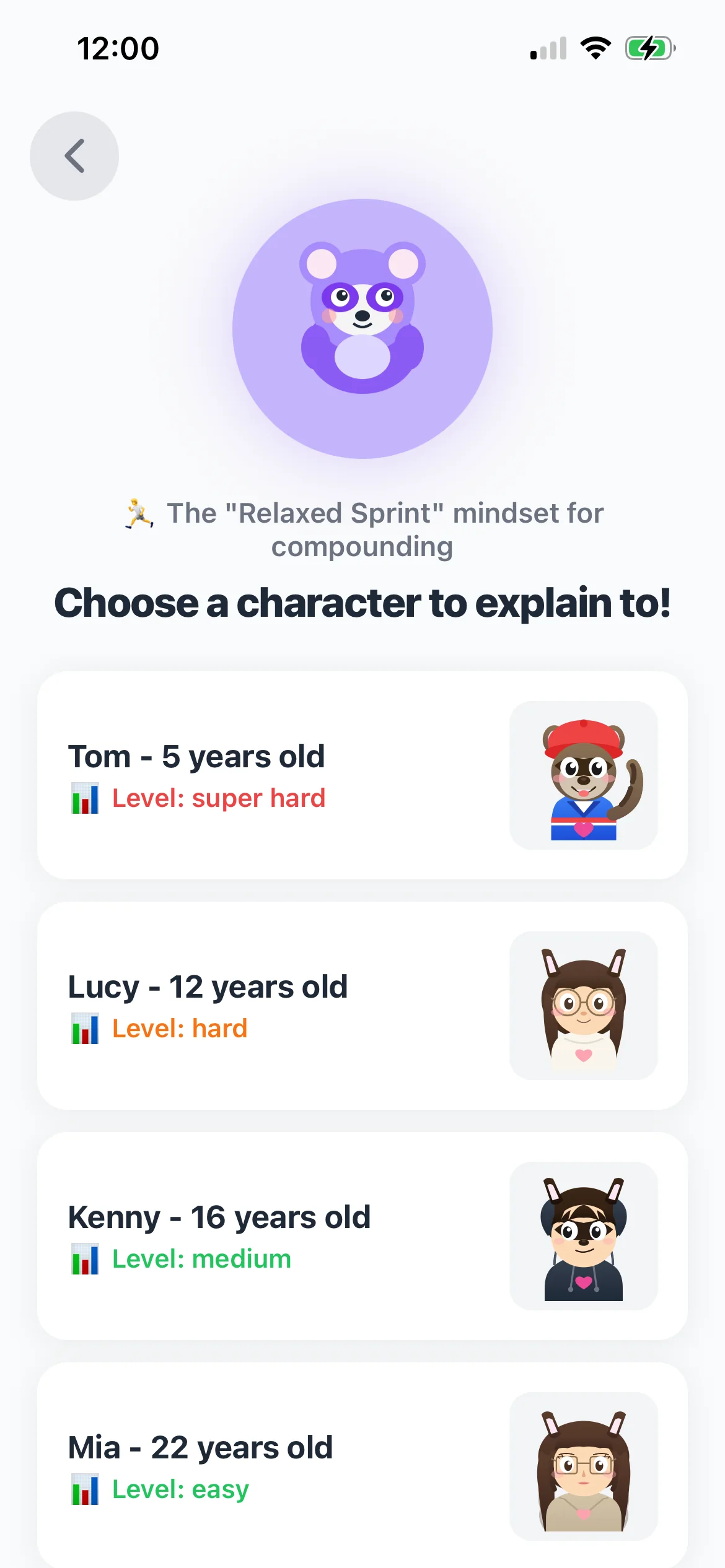
Choose an Explain It Back study character
Feedback after explaining a concept in BrainDen

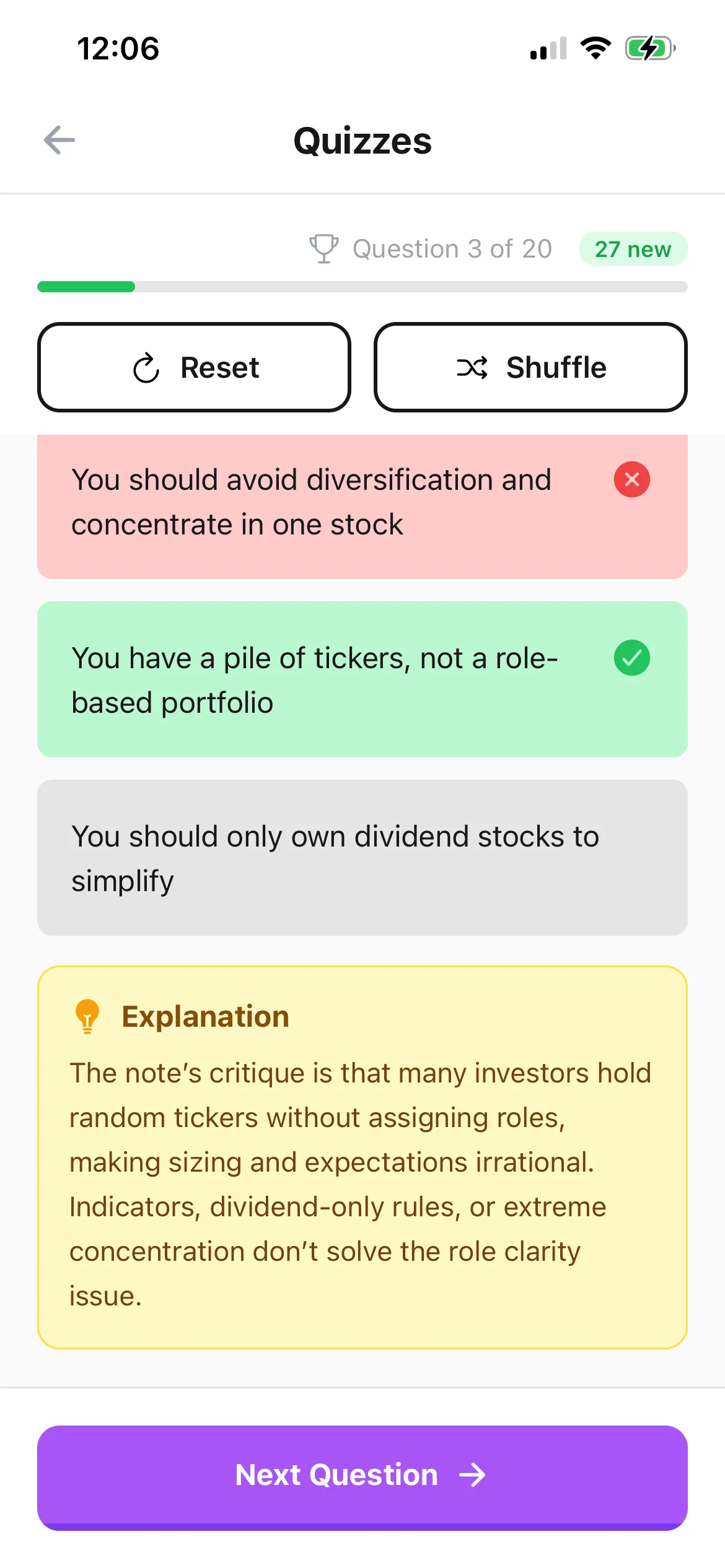
Recall, do not just reread.

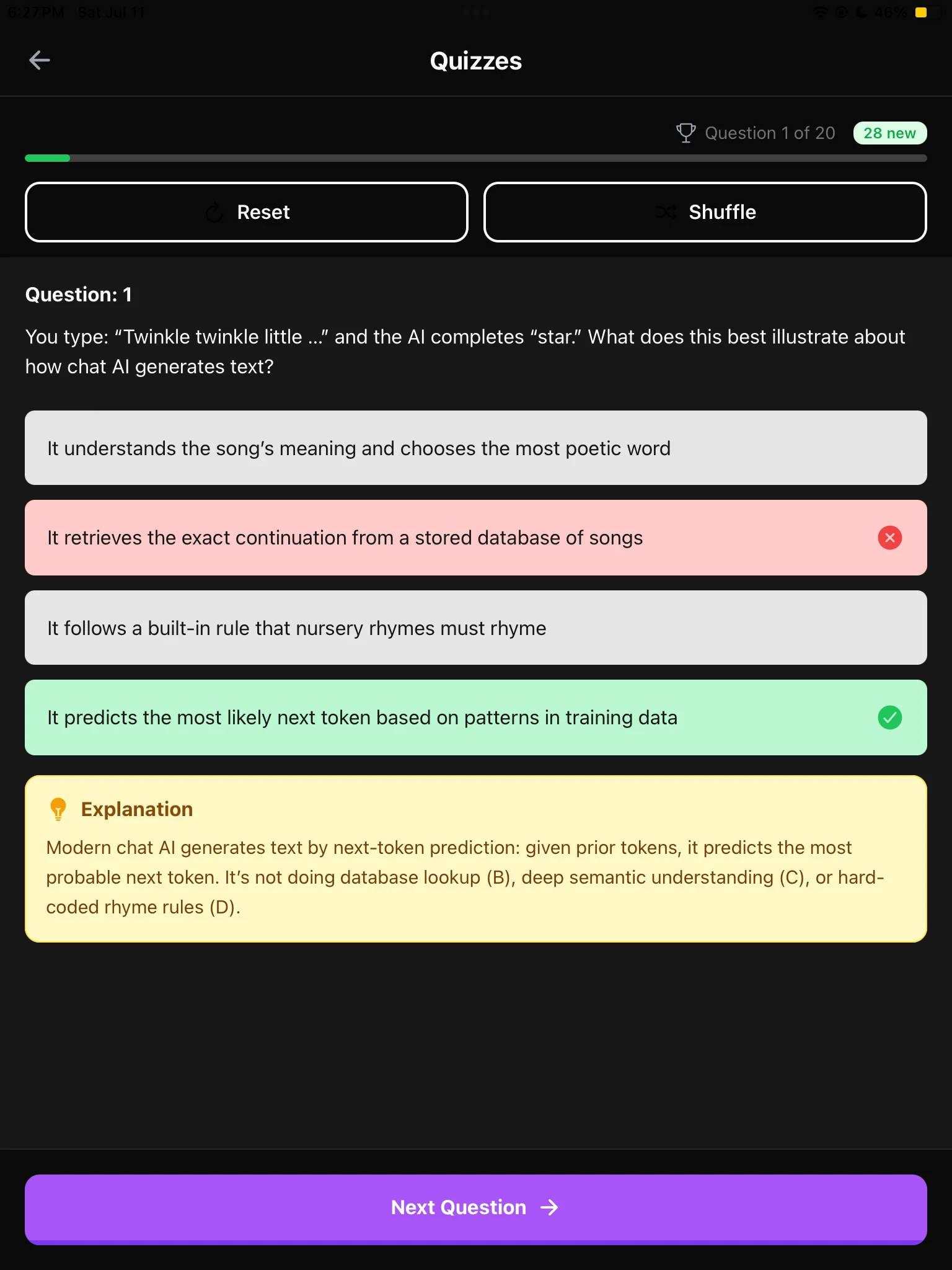
Review flashcards on a schedule, then use quizzes with immediate explanations to check your reasoning.
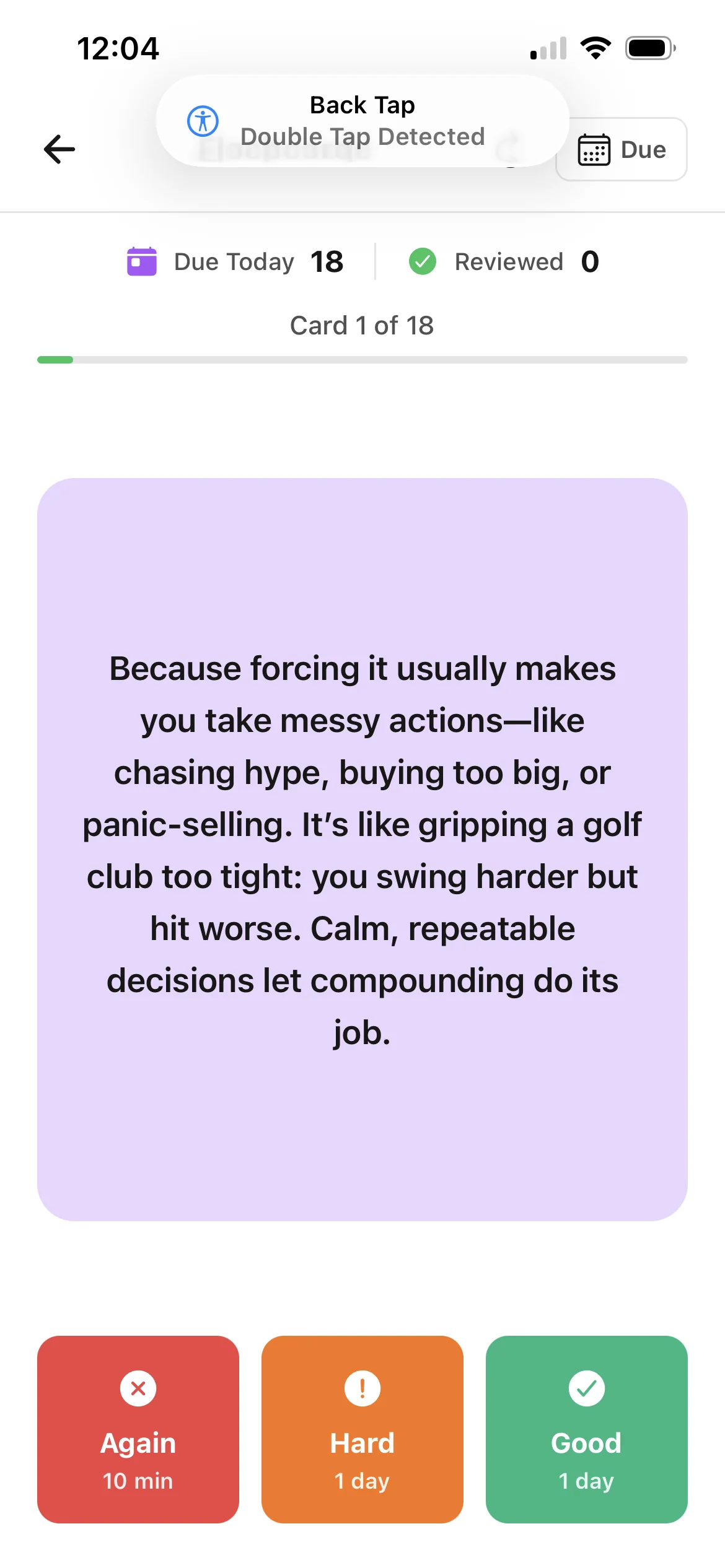
BrainDen flashcard with spaced review choices
BrainDen quiz with answer feedback

Mark the moments that matter.

Record a lecture, tag important sections while it is happening, and generate the note in your chosen language.
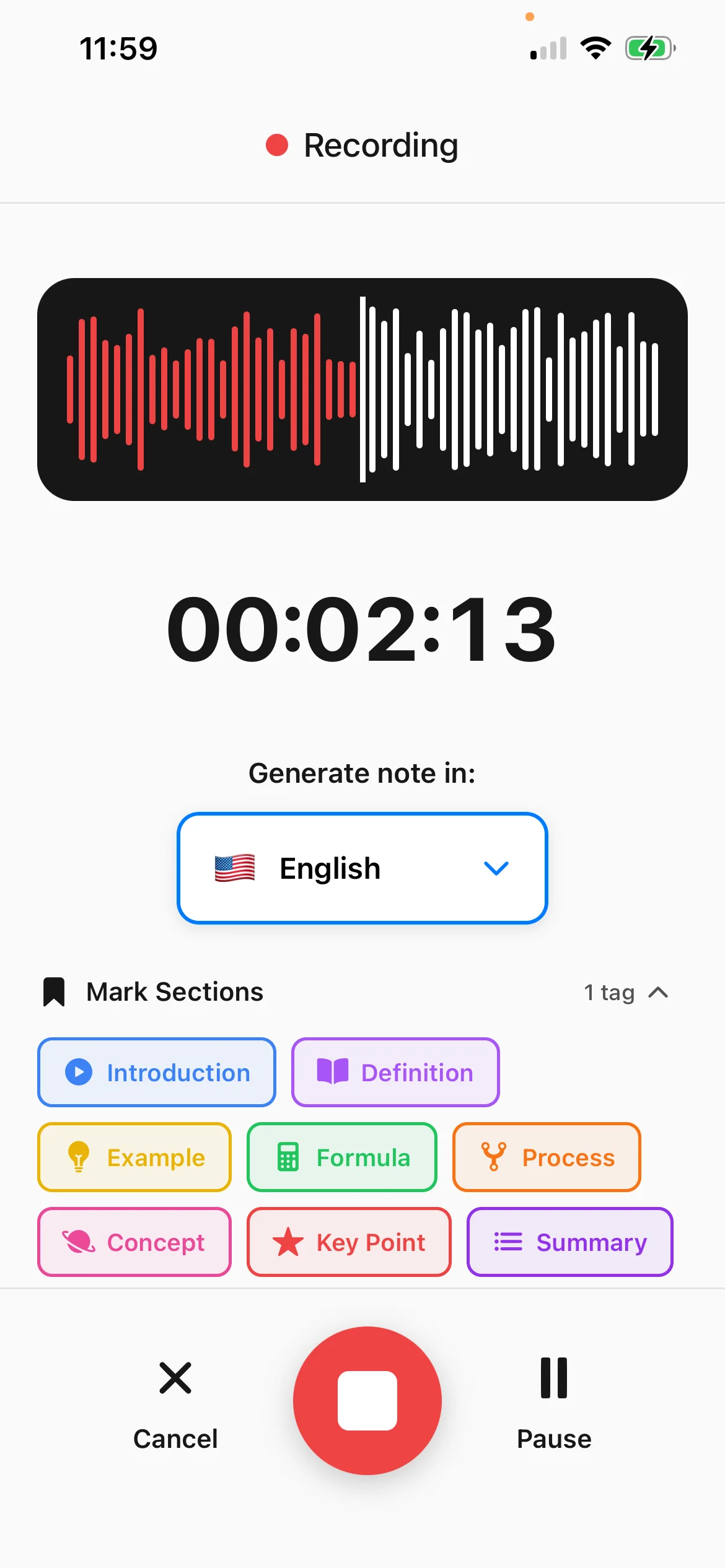
BrainDen lecture recording with section tags

See how every idea connects.

Turn a long note into a mind map so the hierarchy and relationships become visible at a glance.
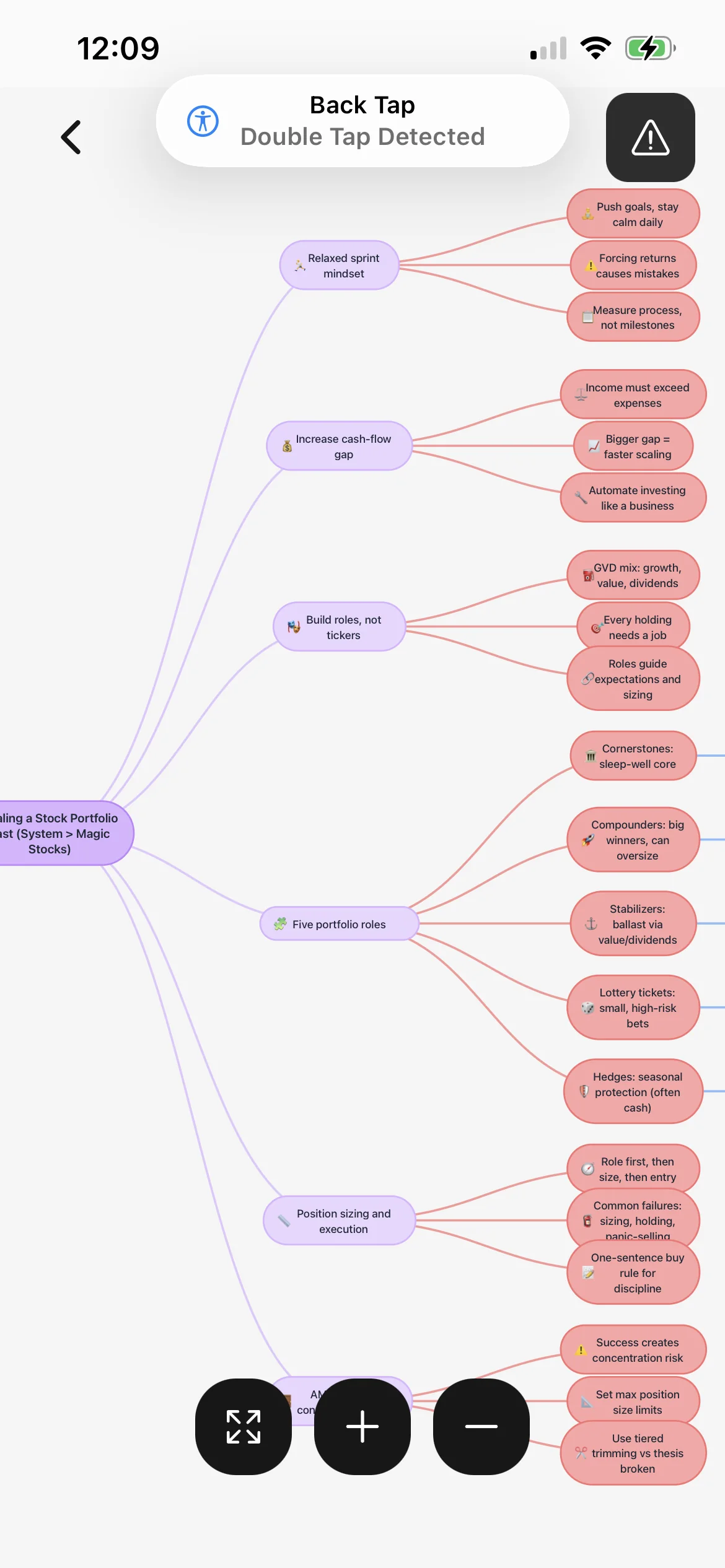
BrainDen mind map generated from a study note
Built for serious reading

Read it. Mark it. Turn it into something you can recall.

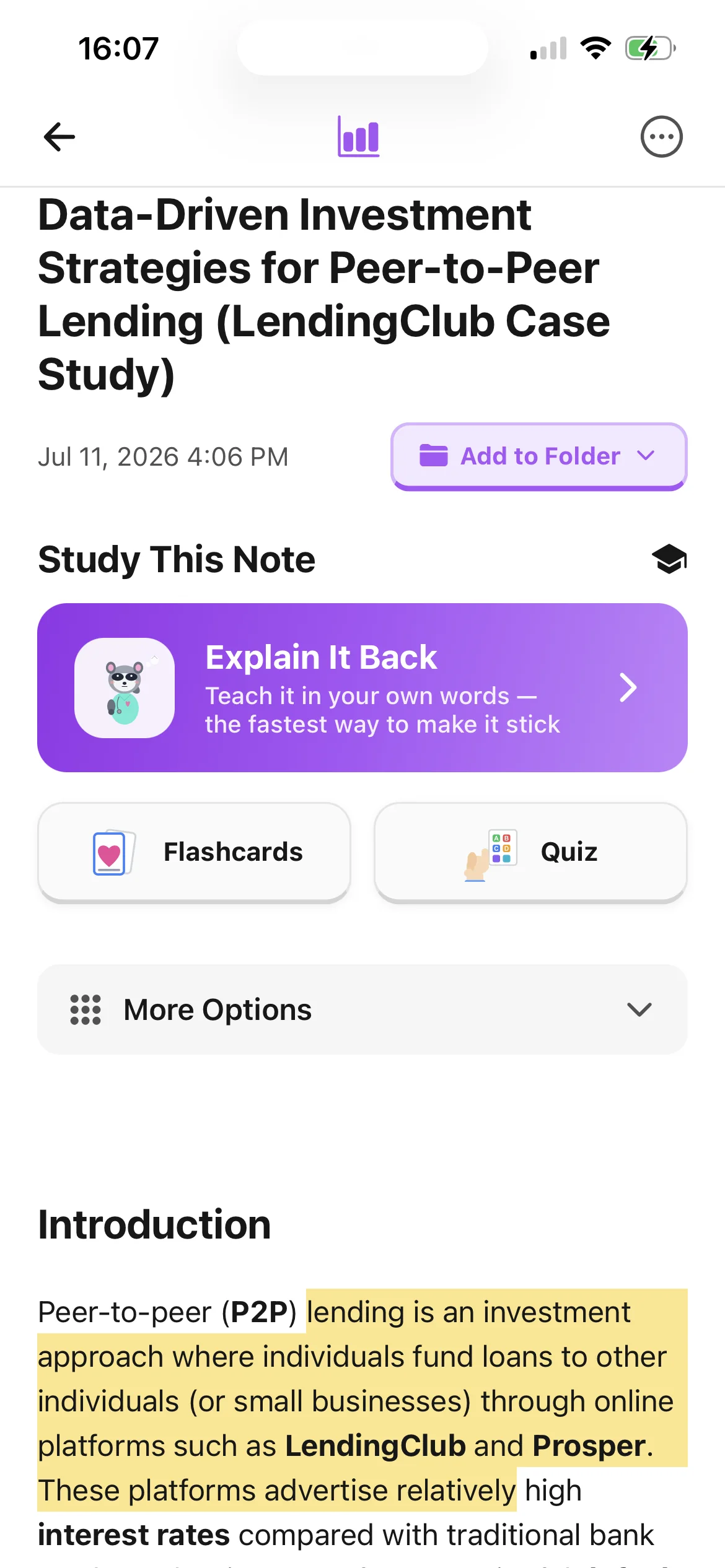
Import a PDF, select the exact passage that matters, keep your own comment beside it, and continue studying from the same note.
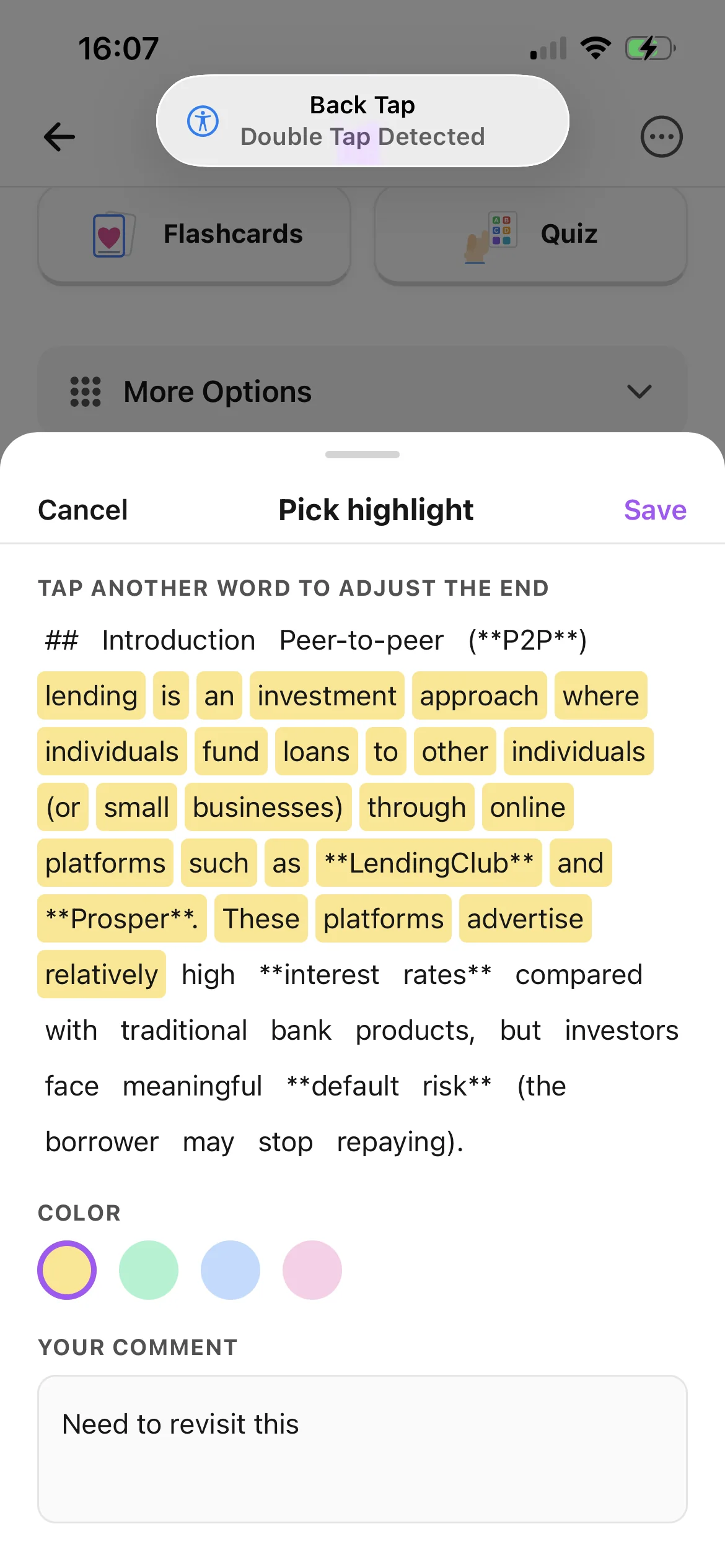
  • Choose a highlight color and keep your last choice
  • Add a comment without losing the passage
  • Create flashcards, quizzes, and explanations from the note
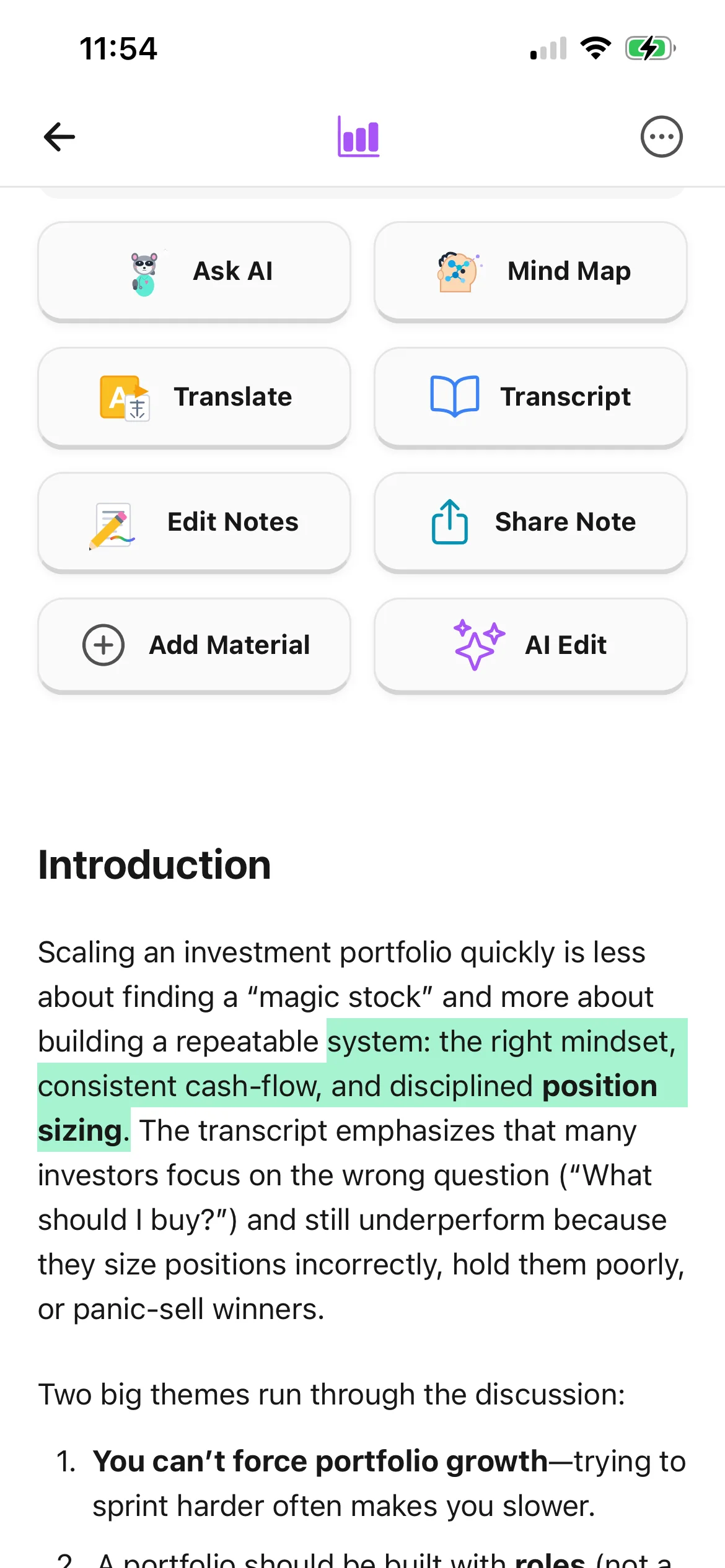
Selecting a PDF passage, highlight color, and comment in BrainDen
Highlighted passages saved inside a BrainDen note
BrainDen quiz experience on iPad
One account, every screen

Start on your phone. Keep going on a bigger screen.

Capture a thought on the move, review a note on your iPad, or settle in at your computer. BrainDen is available on iPhone, iPad, Android, and the web.

Get BrainDen

Choose where you want to use BrainDen:

Questions, answered

Know what you are starting.

Need help with something else? Email hello@brainden.app.

What can I turn into a note?

You can start with a live recording, uploaded audio, a PDF, a video link, a photo, or your own text. BrainDen keeps the source with the note so you can return to it while studying.

Does BrainDen only summarize my material?

No. A structured note is the starting point. From there you can highlight and comment, generate flashcards and quizzes, build a mind map, translate the content, or use Explain It Back to test what you really understand.

What is Explain It Back?

It is an active-recall practice mode inspired by the Feynman Technique. You teach the idea in your own words and BrainDen points out what is clear, what is missing, and what to revisit.

Can I use BrainDen on more than one device?

Yes. BrainDen is available on the web, iPhone, iPad, and Android, so your study workflow can move with you.

Can I try it before paying?

Yes. You can create an account and make your first notes for free. No payment card is required to start.

Your next study session can start with material you already have.

Create your first note, then choose the way you want to understand and remember it.

Get BrainDen

Choose where you want to use BrainDen:

Free to start. No card required.